
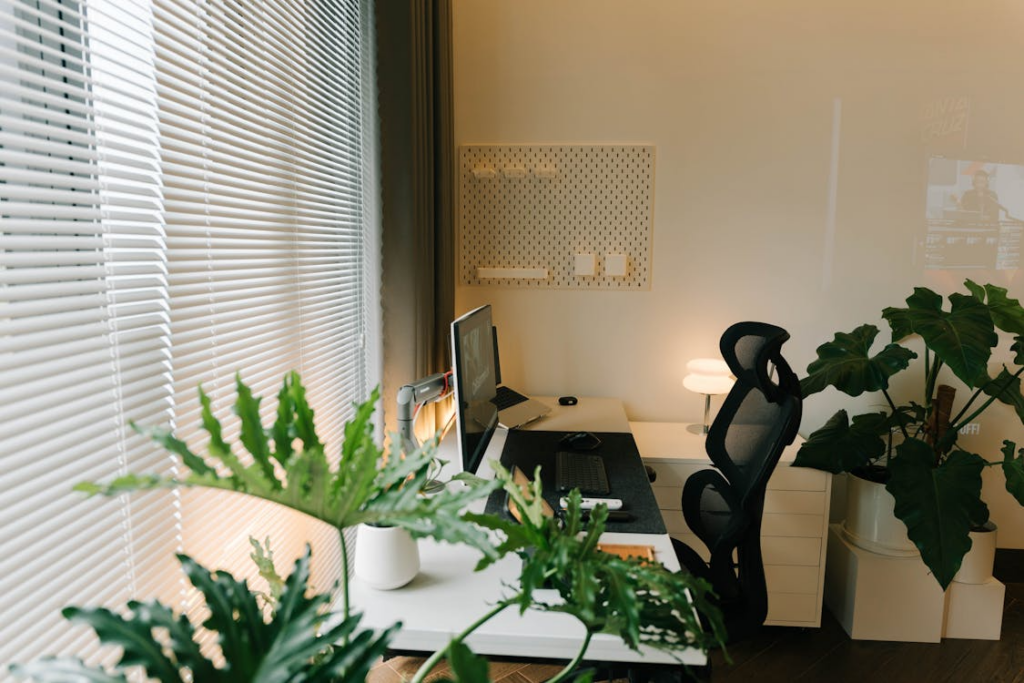
Want a home office that helps you work remotely instead of holds you back?
There’s more to setting up a proper home office than getting a desk and chair. A killer home office setup powers your entire workflow.
From communication to file sharing to meetings, your home office needs to be able to handle your business at home. Without the proper setup, business critical documents can be delayed or get lost and your productivity suffers.
Remote work is booming. With nearly 80% of remote-capable employees now working either hybrid or fully remote jobs, more people need a home office than ever.
But here’s the kicker…
Most home offices are set up completely wrong. People dive into decorating their home workspace without thinking about the important stuff. They buy a cool chair but ignore their processes and other workflows they need to succeed remotely.
Here’s everything you need to build a remote-ready home office.
What you’re going to learn:
- Why Your Home Office Setup Matters More Than You Think
- The Core Components of a Remote-Ready Workspace
- How To Handle Secure Mail Handling From Home
- Protecting Your Home Office From Security Threats
- Simple Upgrades That Make A Big Difference
- Putting It All Together
Why Your Home Office Setup Matters More Than You Think
Think your home office doesn’t matter? Think again.
Working remotely saves employees anywhere from $6,000 to $12,000 USD annually. Just by eliminating commute times, work meals, and needing professional clothes.
That’s incredible. But if your home office isn’t built the right way those savings can be wiped out quickly.
Your home office now needs to do everything your physical office did. With a few extras.
Remote workers need to handle mail efficiently. Video conference without looking unprofessional. Share files easily with teammates. And protect both digital and physical data from attacks.
Let’s take mail handling as an example…
Without a dedicated system to handle business mail at home. Important documents can go missing. Stay at your local post office for weeks. Or even get delivered to the wrong person.
That’s why many full-time remote workers and business owners are using virtual mail forwarding to handle business mail. It gives you a professional address to use for business. Then scans and forwards incoming mail securely to you.
Setting up your home workspace for success keeps you productive and saves you money.
The Core Components of a Remote-Ready Workspace
Ok. Let’s not get ahead of ourselves.
Before we jump into sexy home upgrades and optimizations.
There’s some basic setup everyone should have in place before diving into the fancy stuff.
First, grab a desk (and chair) that feels comfortable. Then make sure you have access to a high-speed internet connection.
These are the basics every home office should have:
- High-Speed Internet Connection
- Comfortable Desk and Chair
- Good Lighting
- A Designated Work Area
Sounds too simple?
You’d be surprised how many “remote workers” are out there working from the couch. Remote work is still new to a lot of people. And some slip into bad habits without realising it.
Make sure you have a designated area that’s only used for work. Not your kitchen table. Not your couch. A real desk that’s used only for work.
These small changes set you up for success. From here we can dive into other components of a remote-ready workspace.
How To Handle Secure Mail Handling From Home
Here’s a big one that many people overlook when working remotely…
Mail handling.
In an office employees mail gets dropped into a mailroom. It gets sorted, opened, and distributed to the right person. All important documents are accounted for.
What happens at home?
Out of sight, out of mind. Important business paperwork can sit in your residence mailbox for days or get lost under a pile of “community mail” your roommate signed for.
Remote workers are just as likely to work with contracts, tax documents, and other sensitive paperwork than someone who works in an office. Making secure mail handling a must for home offices.
That’s why a lot of remote workers and small business owners use a mail forwarding service. These services offer fully scanned mail forwarding. Receive your mail at a secure location. Then get digital scans of your mail sent straight to your inbox.
Here’s what you should look for in a secure mail handling system:
- Receive mail at a secure location
- Get digital scans of your mail delivered to your inbox
- Forward physical mail to your home address (if needed)
- Keep your home address hidden from public view
Something as simple as not sharing your home address can protect you from privacy invasions and spam mailers.
Mail forwarding is just one piece of the puzzle for remote workers. But it’s an important one.
Protecting Your Home Office From Security Threats
Here’s where we get into some of the more serious stuff.
Did you know 59% of organisations have NO POLICY WHATSOEVER for employees home offices?
Cybercriminals hate this. Remote workers are a HUGE target for cyberattacks.
Criminals know most home offices are not protected like a corporate network. All it takes is one vulnerable home Wi-Fi network to unleash a world of pain.
Some of the most common security risks for home offices include:
- Insecure home Wi-Fi
- Using Personal Devices for work
- Phishing Attacks
- Poor Password Practices
The good news? Most of these risks can be mitigated by remote workers who take their security seriously.
- Secure your home Wi-Fi with WPA3 encryption and a strong password.
- Use a VPN when working remotely.
- Enable multi-factor authentication. Everywhere.
- Avoid using the same browser for work and personal stuff.
Your home office should be as secure as your work office.
Complete failures in one leads to sensitive data breaches. Don’t become another statistic.
Criminals know most home offices are not protected like a corporate network. All it takes is one vulnerable home Wi-Fi network to unleash a world of pain. Encrypting your traffic with a VPN such as NordVPN closes that gap even if the network itself isn’t perfectly secured.
As a bonus, secure mail handling can also help with physical document security. You don’t want to be forcing anyone who visits your home office to lug around a sensitive file.
There’s a lot of overlap in best practices for your work office and home office. Make sure you know the differences.
Simple Upgrades That Make a Big Difference
Ever wonder how you can go from having a home office that’s “good enough” to completely optimized?
There are a ton of little upgrades you can make to your workspace that seem small but add up to huge productivity boosts.
Take a look at these office upgrades:
- Secondary Monitor
- Noise Cancelling Headphones
- Better Webcam and Microphone
- Cable Management System
- UPS Device
These items won’t break the bank.
If you plan on working remotely long-term they’re all absolutely worth the investment. Small upgrades like these are what remote workers wish they would have done sooner.
Software is just as important as hardware when setting up a home office. Cloud storage, project management systems, and communication platforms are crucial.
Home offices need the right balance of good hardware and solid digital tools.
Putting It All Together
Your home office shouldn’t hold you back from working remotely.
By setting up the proper tools. Your home workspace can enhance your workflow and keep you productive.
Everything you need for your business should be handled at home. That includes digital security, mail handling, communications, file storage, and more.
Here’s your home office setup recap:
- Build a dedicated workspace you’ll actually use.
- Invest in secure mail handling.
- Secure your physical network.
- Don’t neglect the small things.
- Treat your home office like your actual office.
Remote work is not going anywhere. But the employees who take the time to set up their home workspace for success are the ones who will thrive.
More Stories
How to Choose Wood Look Flooring Without Regretting It
How Architectural Design Shapes a Building’s Depreciation Schedule in California
The Moving Challenges Homeowners Often Underestimate