
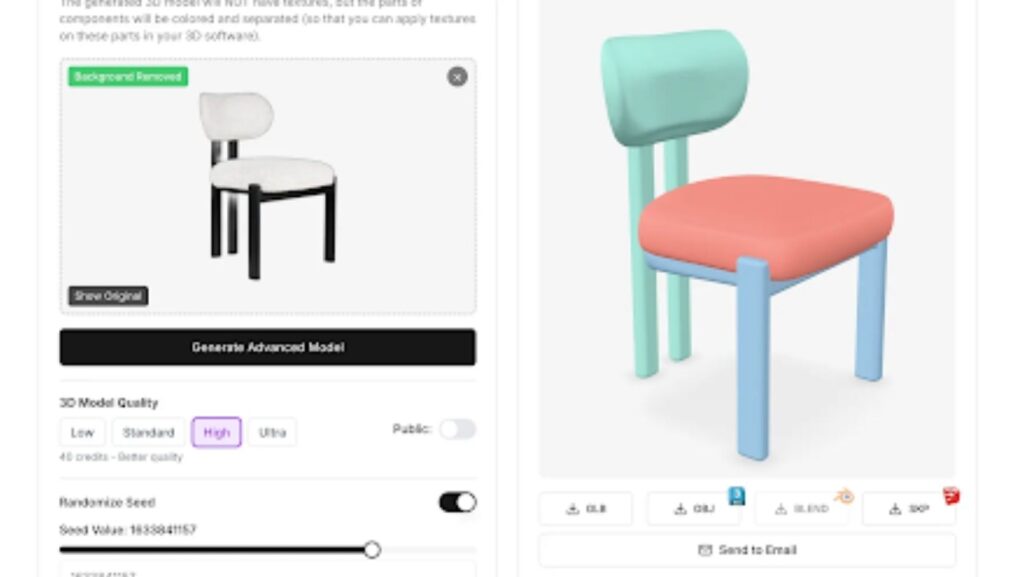
Ask any architect what the most annoying part of putting together a client presentation is, and I guarantee “finding the right furniture models” will come up. Not the building design. Not the structural engineering. The furniture.
It sounds ridiculous, but it’s true. You can spend weeks perfecting a floor plan, dialing in the lighting, getting every wall thickness right to the millimeter. Then you go to populate the space with furniture and you’re stuck choosing between a generic IKEA-looking sofa from a stock library or spending four hours modeling one from scratch. Neither option is great.
That bottleneck is finally going away. New tools let you convert furniture from photo to 3d model in minutes, and it’s changing how visualization gets done at every stage of a project.
The Furniture Problem Nobody Warns You About in School
Architecture school teaches you to design buildings. It does not teach you to spend 30% of your rendering time hunting for a credible-looking dining chair in a 3D asset marketplace.
But that’s the reality. You design a gorgeous open-plan kitchen for a client. You model every surface, every fixture, every light source. Then you need to show what it looks like furnished, because clients can’t evaluate an empty room. They need context. They need to imagine living there.
So you open your furniture library and it’s the same 200 items you’ve been using for years. The modern sofa that shows up in literally every architecture portfolio on the internet. The Eames chair that’s been a default placeholder since 2015. The dining table that doesn’t match anything your client actually wants.
You can buy more models from online stores. Some are good, most are mediocre, and none of them are the specific West Elm sectional your client showed you on their phone last Tuesday. That’s when the real fun starts: spending three hours in Blender trying to recreate it from reference photos, or just settling for something close enough and hoping the client doesn’t notice.
They always notice.
Whether it’s a residential project or a commercial office space, the furniture in your render either sells the vision or undermines it. There’s no middle ground.
What Actually Works Now
Here’s what’s different. You take a photo of the exact piece of furniture the client wants, any angle, even a screenshot from a website. You upload it. The software generates a clean 3D model with accurate proportions and decent texture mapping. You drop it into your scene.
No photogrammetry rigs. No manual modeling. No settling for “close enough.”
I was skeptical at first. Photo-to-3D has been promised before and it usually produced blobby, unusable meshes. But the current generation of tools, especially the ones built specifically for furniture, produce genuinely usable results. The geometry is clean, the scale is right, and the materials look convincing in a rendered scene.
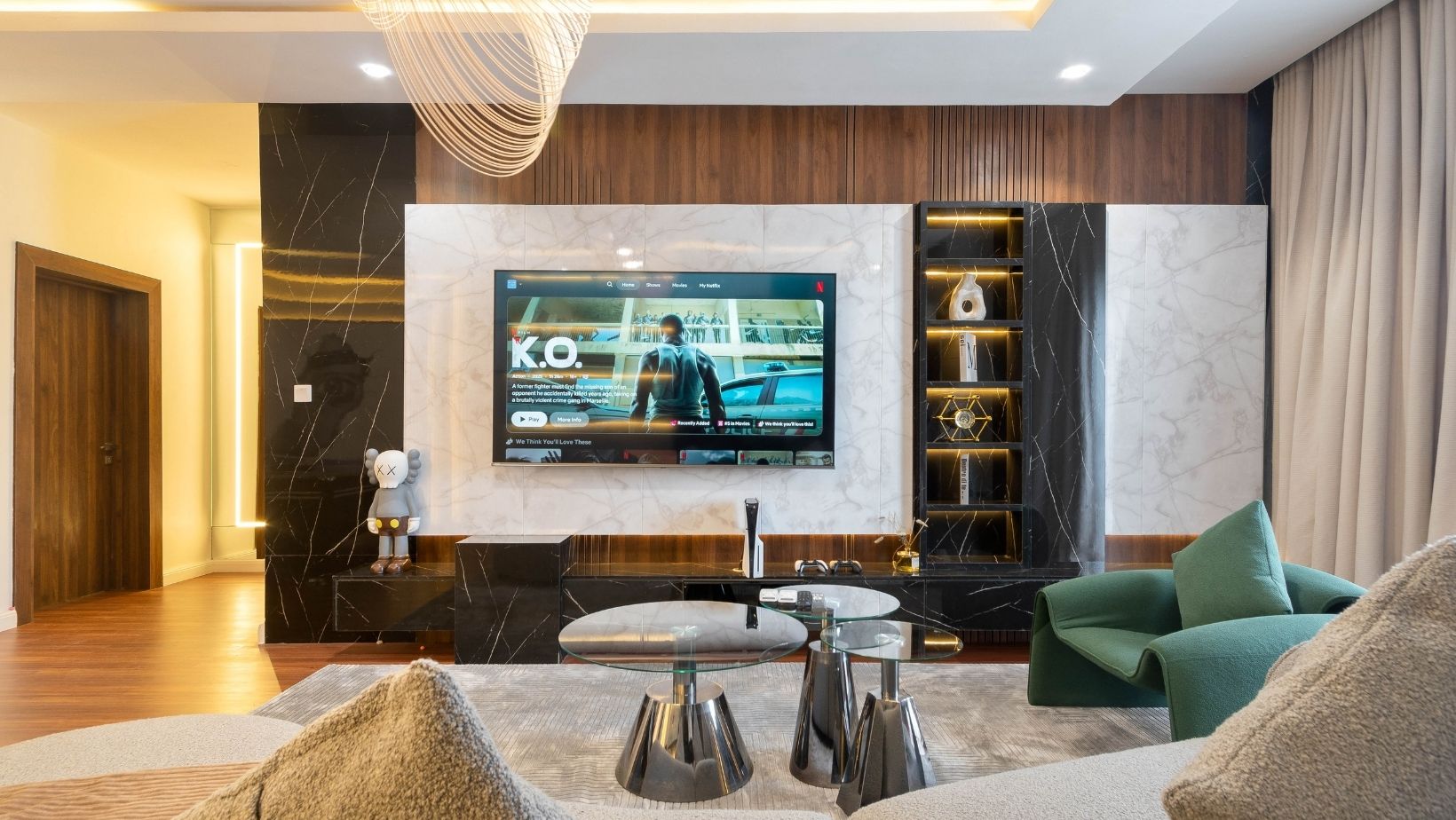
It’s not perfect. You’re not getting Sub-D models ready for a Vray close-up. But for client presentations, design reviews, and even most portfolio renders? It’s more than good enough. And it takes minutes instead of hours.
How This Changes the Actual Workflow
The most immediate impact is on iteration speed. Architecture is an iterative process. The client changes their mind about the sofa. The interior designer swaps out the dining chairs. The budget shifts and suddenly the custom millwork is standard cabinetry.
Every one of those changes used to mean finding or building new 3D models. Now it means uploading a new photo. The feedback loop between “client sends a Pinterest link” and “architect shows it in context” shrinks from days to minutes.
Some other ways I’ve seen people use this:
Early design phases. You’re pitching a concept and you need the space to feel lived-in. Instead of using the same stock furniture everyone’s seen a thousand times, you grab specific pieces that match the design intent and model them in 20 minutes. The presentation feels custom because it is.
Client furniture. Half the residential clients I’ve worked with have pieces they want to keep. “This is my grandmother’s dining table, it has to stay.” Great. Take a photo, make a model, show it in the new kitchen. That five-minute gesture builds more trust than an hour-long design presentation.
Interior design collaboration. On bigger projects, the interior designer is picking furniture while you’re finalizing the architecture. Photo-to-3D gives you a shared vocabulary. They send product images, you model them, everyone sees the same thing. No more “I thought you meant the other blue chair.”
The Bigger Shift
As architectural design platforms keep evolving, this kind of tool slots right in. It’s not replacing your design software. It’s filling a gap that design software was never built to handle.
And it democratizes visualization quality. A two-person firm can now produce presentations with bespoke furniture models that used to require a rendering department or expensive outsourcing. That matters a lot when you’re competing against bigger studios for the same projects.
The client conversation changes too. You stop saying “imagine a sofa here” and start saying “here’s your sofa, in your room, at the right scale.” That’s a fundamentally different level of confidence. Approvals come faster. Revisions drop. Everyone’s happier.
A Few Technical Notes
If you’re evaluating these tools, some things matter more than others.
Export formats. You need OBJ, FBX, or glTF at minimum. If the tool only outputs proprietary formats, it’s useless for integration with Rhino, Revit, or whatever you’re running.
Scale accuracy. In architecture, 5% off on a furniture dimension cascades into layout problems. The model needs to arrive at real-world scale, not “approximately right.”
Texture quality. Wood grain, fabric weave, metal finish. These details make or break a render. Furniture-specific tools handle this better than general-purpose ones because they’re trained on the materials that actually show up in interiors.
Scene compatibility. Does the model play nice with your lighting setup? Does it import cleanly or do you spend 20 minutes fixing normals and UV maps? The best tools produce scene-ready models. Whether you’re working on indoor environments or outdoor spaces, the model should just work.
Where I Think This Lands
In five years, I think photo-to-3D furniture modeling will be as standard as PDF export. It’ll just be something every architect does without thinking about it. The tools will get better, the models will get more detailed, and the idea of spending hours manually modeling a coffee table will seem as absurd as hand-drafting blueprints.
We’re not quite there yet. But we’re close enough that ignoring it means you’re working harder than you need to. And in a profession where time is always the scarcest resource, that’s a trade-off worth reconsidering.
More Stories
Planning Plumbing Access Before Closing Walls in a Renovation
How to Read a Cabinet Spec Sheet: A Term-by-Term Translation
Why Compact Homes Are Growing in Popularity